A private, offline-first budget app that lives entirely in your browser. No account, no subscription, no data leaving your device. Here's everything it does — one screen at a time.
Most budgeting apps ask for an email, a password, and read-only access to your bank before they'll show you a single number. Allot doesn't. You open a web page and you're budgeting — your transactions are stored in your own browser, and nothing is uploaded unless you deliberately turn on encrypted sync.
That privacy model doesn't cost you features. Allot does envelope budgeting, multi-account tracking, CSV bank import, spending reports, and net-worth tracking — and it installs on your phone as a real app that works with no signal. The best way to show that is to just show it. Let's walk through the app.
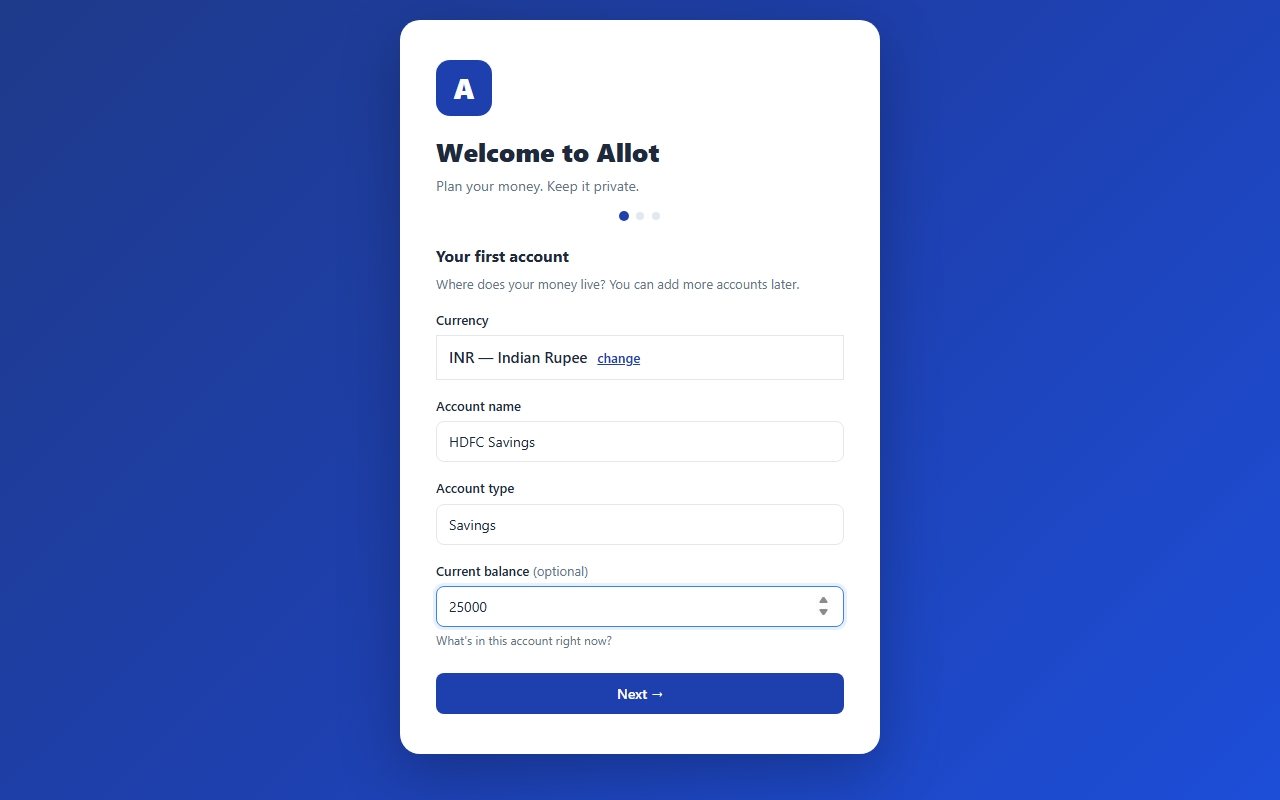
A three-step wizard gets you from cold start to a working budget. Pick your currency, name your first account, drop in a balance — that's it. No email, no password, no card. You can add more accounts and categories any time.
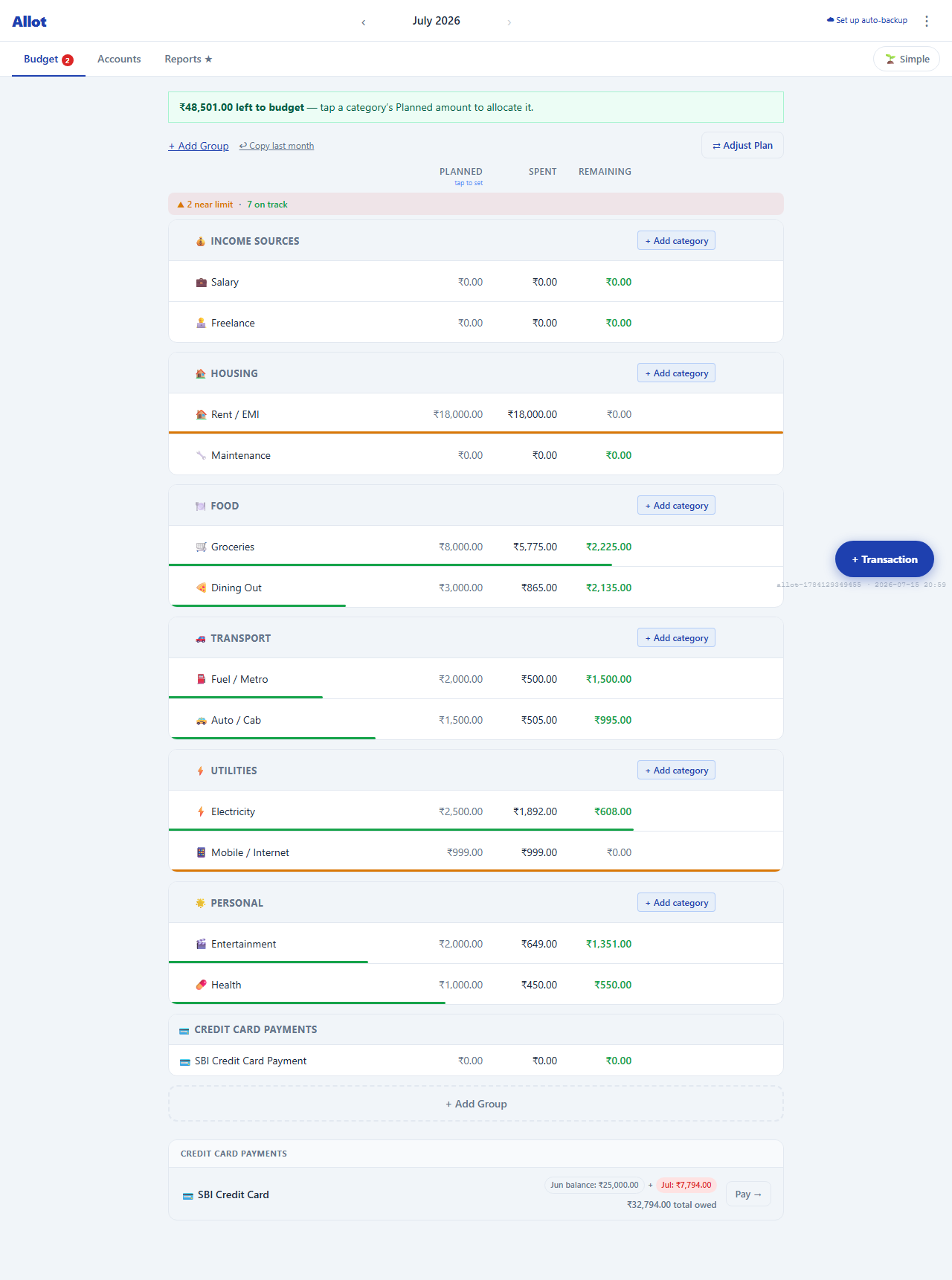
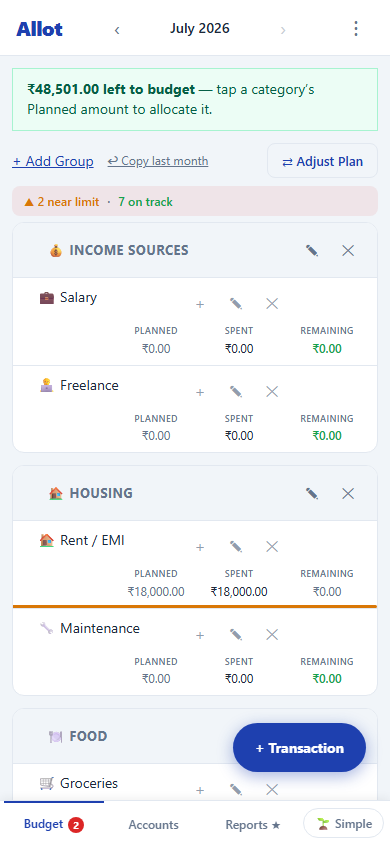
Give every rupee a job. Money is split into category groups — Housing, Food, Transport, Utilities — each with a Planned, Spent, and Remaining figure. A coloured bar under each category tells you at a glance whether you're on track, near the limit, or over.
Prefer it simpler? One tap flips the whole screen to a single "Safe to Spend" number — ideal if envelope tables feel like too much. The detailed view is there when you want it.
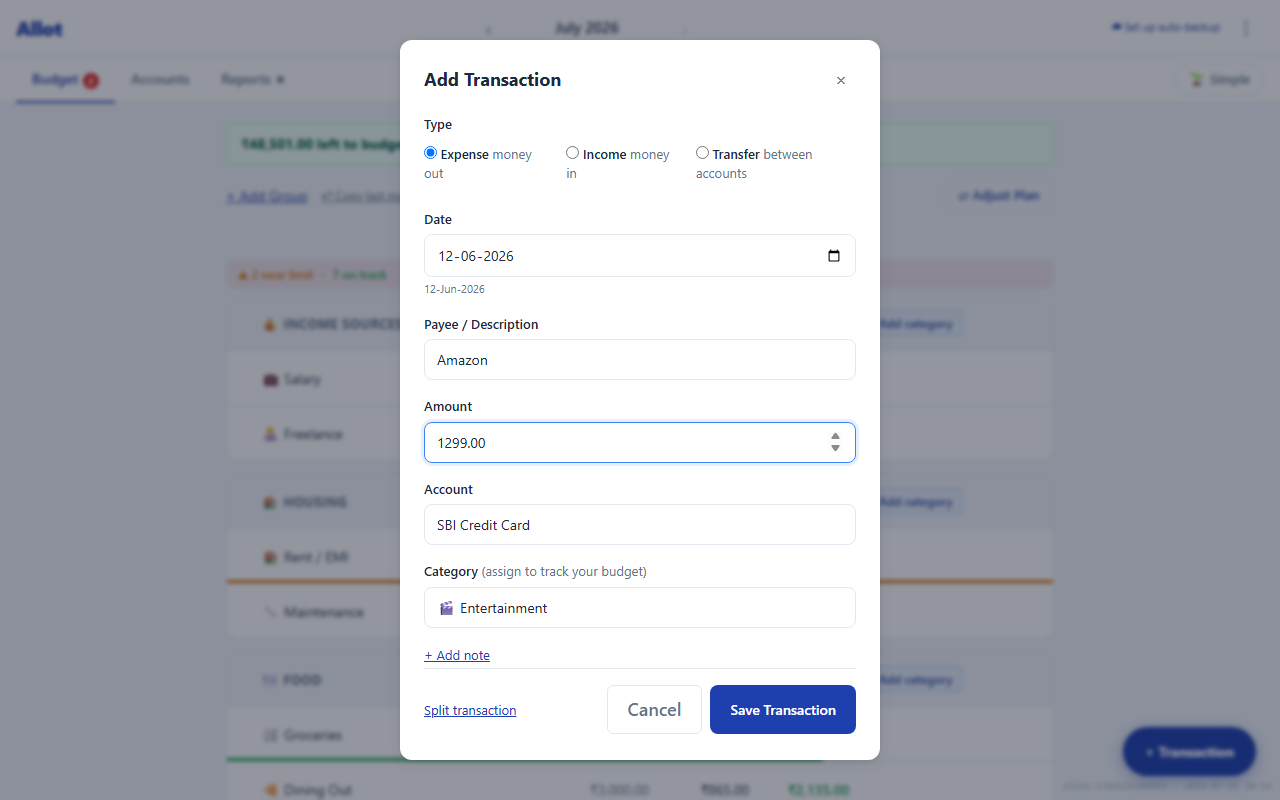
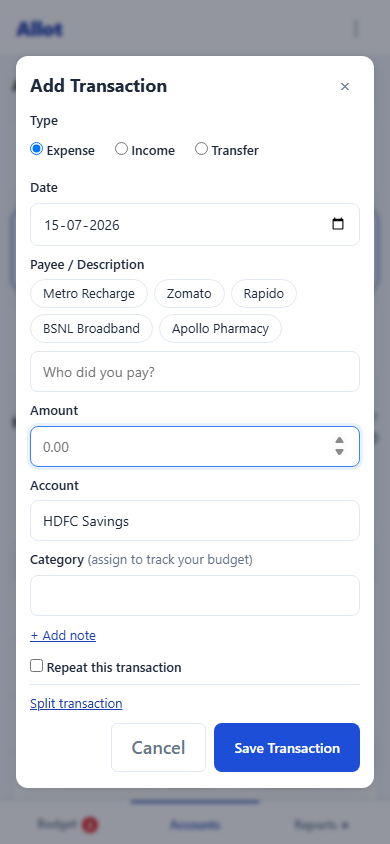
The add-transaction box opens with the amount field already focused. Type the number, the payee, pick an account and category, and save. Handle expenses, income, and transfers between accounts — plus split transactions and recurring entries — all from the same place.
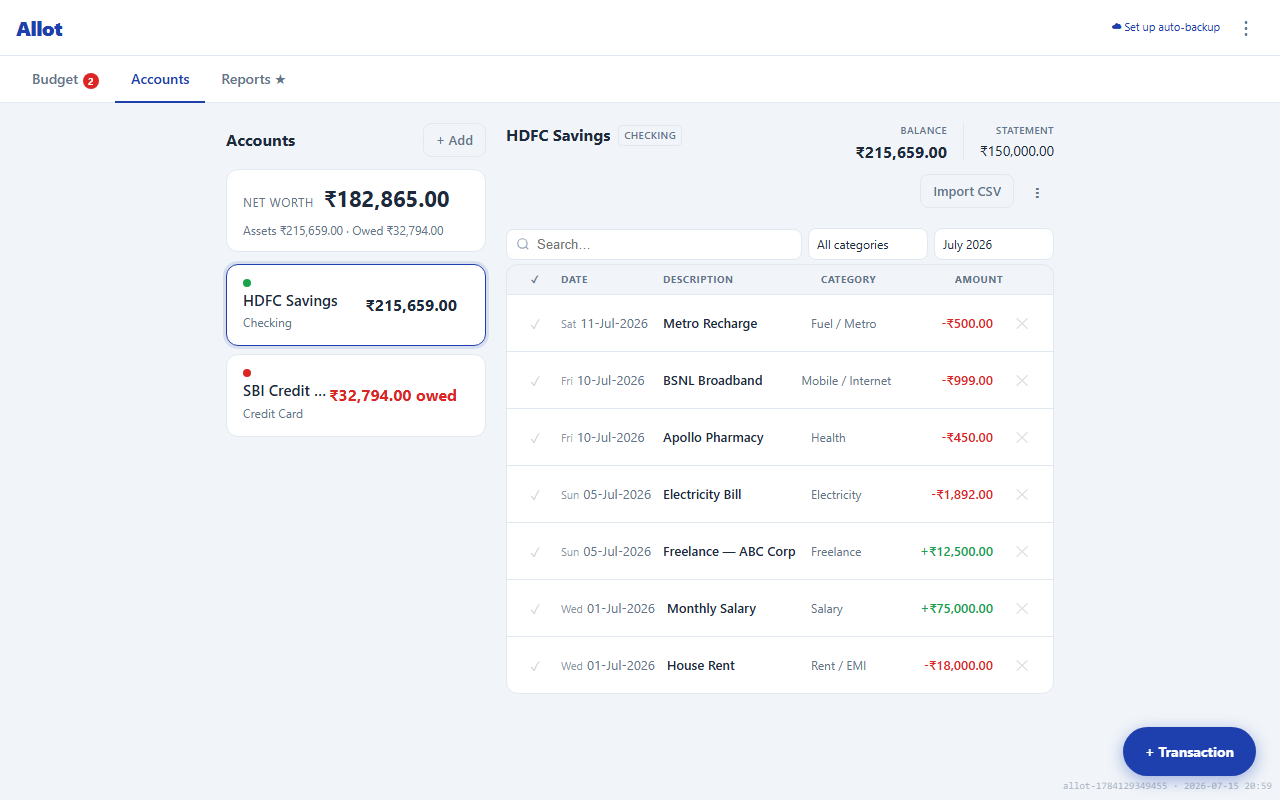
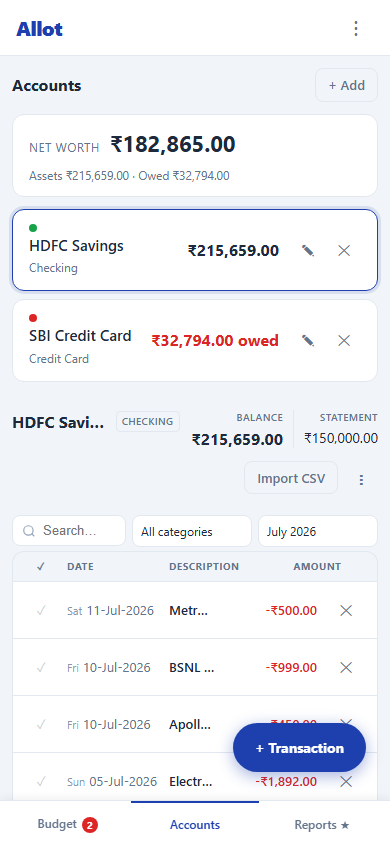
Track current accounts, savings, cash, and credit cards side by side. Allot rolls them into a single net worth figure — assets minus what you owe — and gives each account its own searchable, filterable transaction register.
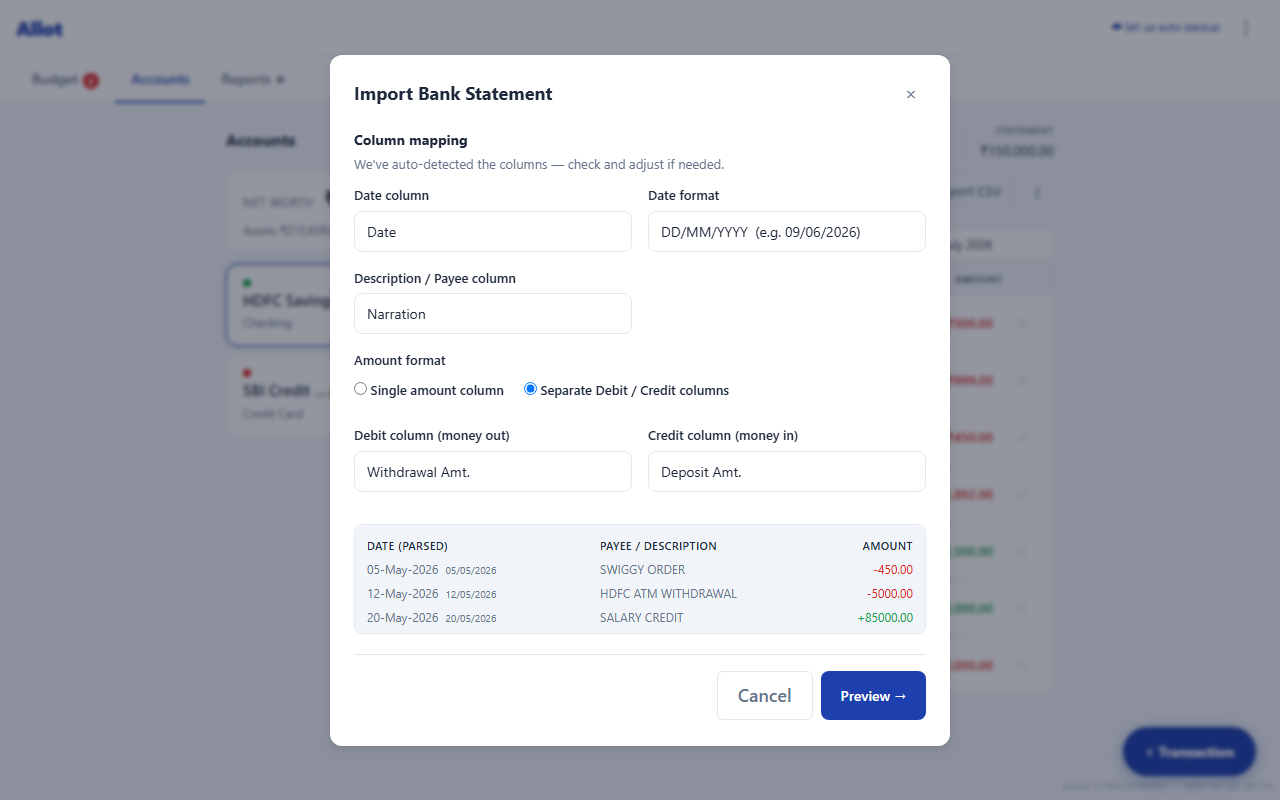
No fragile bank connections to break. Export a CSV from your bank and drop it in. Allot auto-detects the columns — date, description, debit/credit — and shows a live preview before anything is imported. It handles statement formats from Chase, Barclays, HDFC, CommBank, and hundreds more.
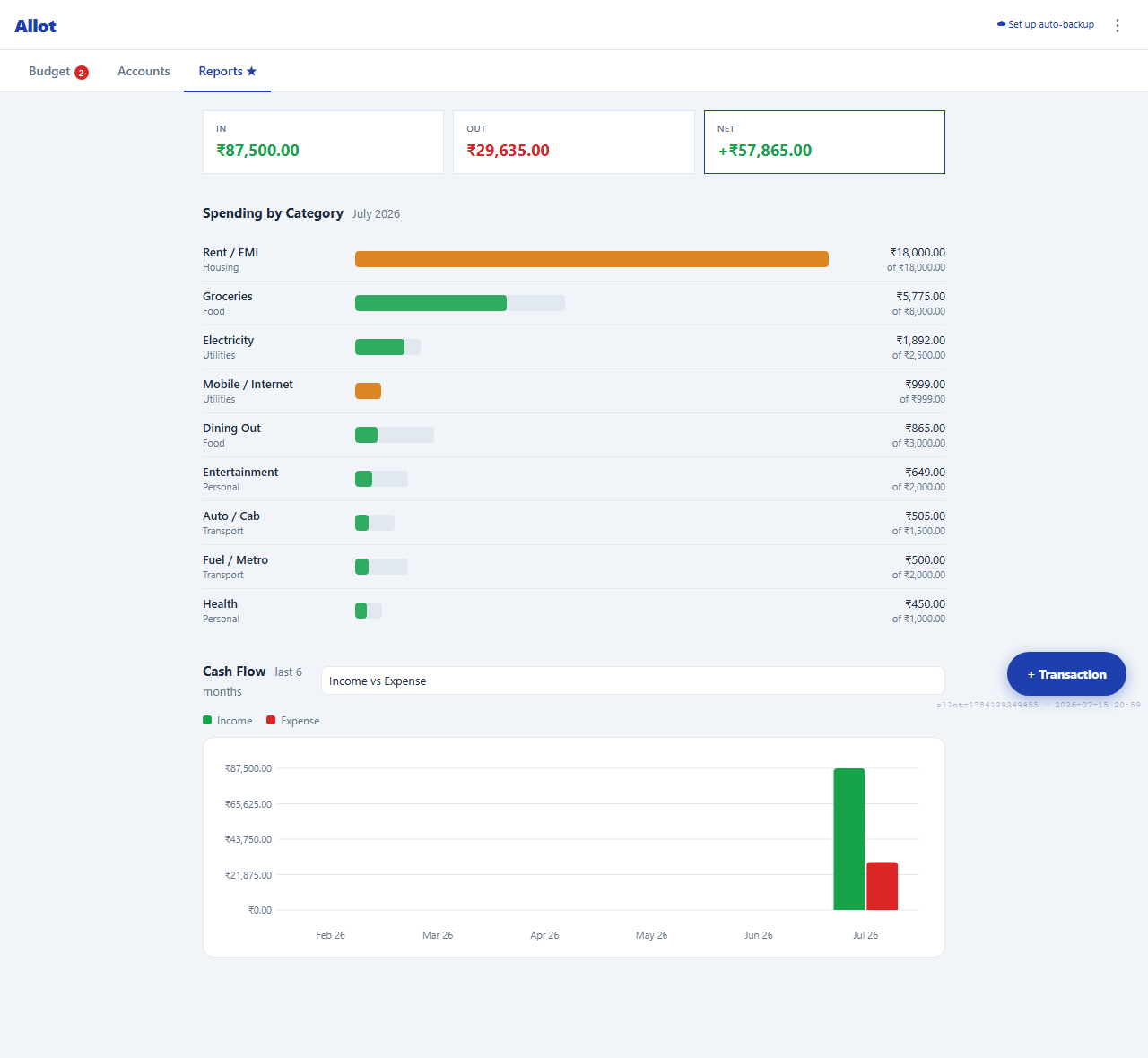
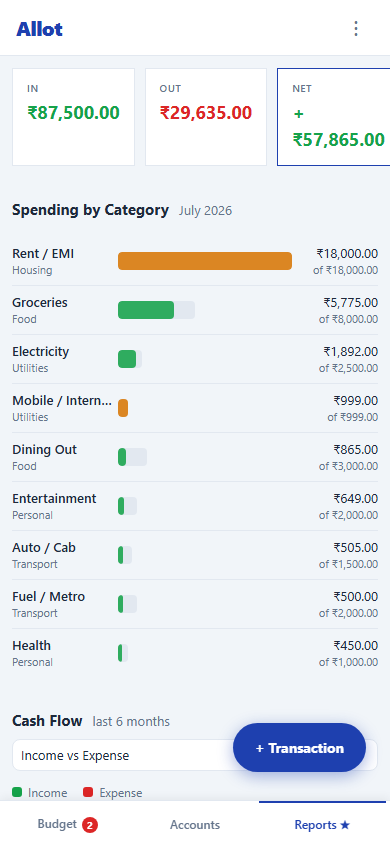
Reports turn a month of transactions into answers. Money in vs out vs net at the top, spending broken down by category against its budget, and a six-month income-vs-expense cash-flow chart to spot the trend.
Allot is a Progressive Web App. "Add to Home Screen" and it installs like a native app, with a thumb-friendly bottom tab bar and full offline support — every core feature keeps working with no signal. Same data, same app, just sized for a phone.
Everything above runs entirely in your browser. There's no Allot account, because there's no server holding your budget. Your transactions live in your device's local storage and go nowhere by default.
If you want your budget on more than one device, you can turn on Cloud Sync — and even then, your data is encrypted on your device with AES-GCM-256 before it ever leaves. The sync server only ever stores ciphertext; it never sees a payee, an amount, or a category. Privacy isn't a setting you switch on later. It's the default, and it's the architecture.
No email, password, or sign-up. Open the page and start.
Stored in your browser. Optional sync is end-to-end encrypted.
Full PWA — budget on a plane, sync later.
One-time price. No subscription, ever.
The full app opens in your browser right now — no account, no credit card, no email address. The screenshots above are the free tier.
Try Free — No Sign-Up → Buy Premium — $19 once